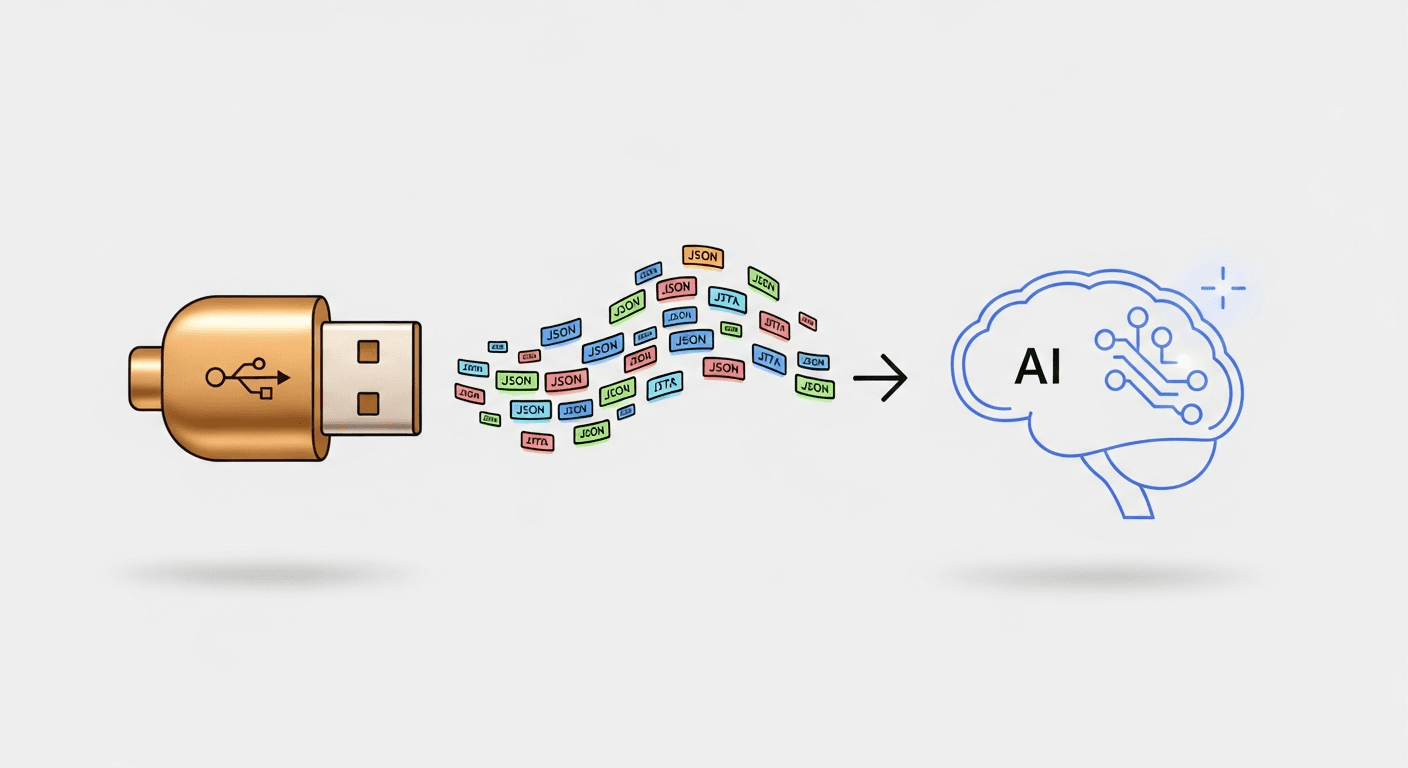
ACP: The Protocol That Lets You Swap Your AI Agent Like a USB Device
What the Agent Client Protocol is, how it works, and why it matters for the future of AI tooling.
Remember when every printer needed its own cable? Its own driver? Its own special incantation to get it to cooperate with your computer? Then USB showed up and said: here's a standard plug, here's a standard handshake, figure out the details amongst yourselves. And suddenly everything just worked.
ACP is USB for AI agents.
The Agent Client Protocol is a JSON-RPC 2.0 based protocol for communication between clients (your IDE, your web app, your terminal) and agents (AI coding assistants). It defines how to start a conversation, how to send prompts, how the agent streams responses, how tool calls work, and critically, how the agent asks for permission before doing something dangerous.
I built a full AI coding assistant on top of ACP. Here's what I learned.
The Problem ACP Solves
Before ACP, every AI coding tool was a monolith. The UI, the agent logic, the model selection, the tool execution: all welded together into one inseparable thing. Want to switch the underlying model? Rewrite the backend. Want a different UI? Fork the whole project. Want to add browser automation tools? Crack open the agent's internals and pray.
This is the printer cable problem. Every tool has its own bespoke interface, and nothing is interchangeable.
ACP breaks this apart. It says: the client and the agent are separate programs. They communicate over a defined wire protocol. The client doesn't need to know how the agent thinks. The agent doesn't need to know what the client looks like. They just need to agree on the messages.
In practice, this means I can swap the AI agent behind my coding assistant without touching the frontend. I can swap the frontend without touching the agent. I can add new tools without modifying either. The protocol is the seam that makes everything replaceable.
How It Actually Works
ACP runs over newline-delimited JSON (ndjson) on stdin/stdout. You spawn the agent as a subprocess, pipe messages in, read messages out. No HTTP server, no WebSocket, no cloud dependency. Just two processes talking through a pipe.
The lifecycle is straightforward:
Initialize. The client tells the agent its name and what it supports. The agent responds with its capabilities. This is the handshake.
Create a session. The client sends a working directory and optionally a list of MCP tool servers. The agent returns a session ID, available modes (code, ask, architect), and available models. The session is a stateful conversation.
Send prompts. The client sends a user message. The agent processes it and streams updates back. This is where it gets interesting.
Receive streaming updates. As the agent works, it sends session/update notifications. These carry a discriminator field that tells you what kind of update it is: a text chunk from the agent, a tool call starting, a tool call completing, the agent's turn ending. Each notification is a small JSON object. Your client accumulates them to build the full picture.
Handle permission requests. When the agent wants to do something that requires approval, it sends a session/request_permission request (not a notification). This is a blocking call. The agent is literally paused, waiting for your response. You show a dialog, the user clicks approve or reject, and you send the response back. Only then does the agent continue.
That's the whole protocol. Initialize, create session, prompt, stream, approve. Everything else is detail.
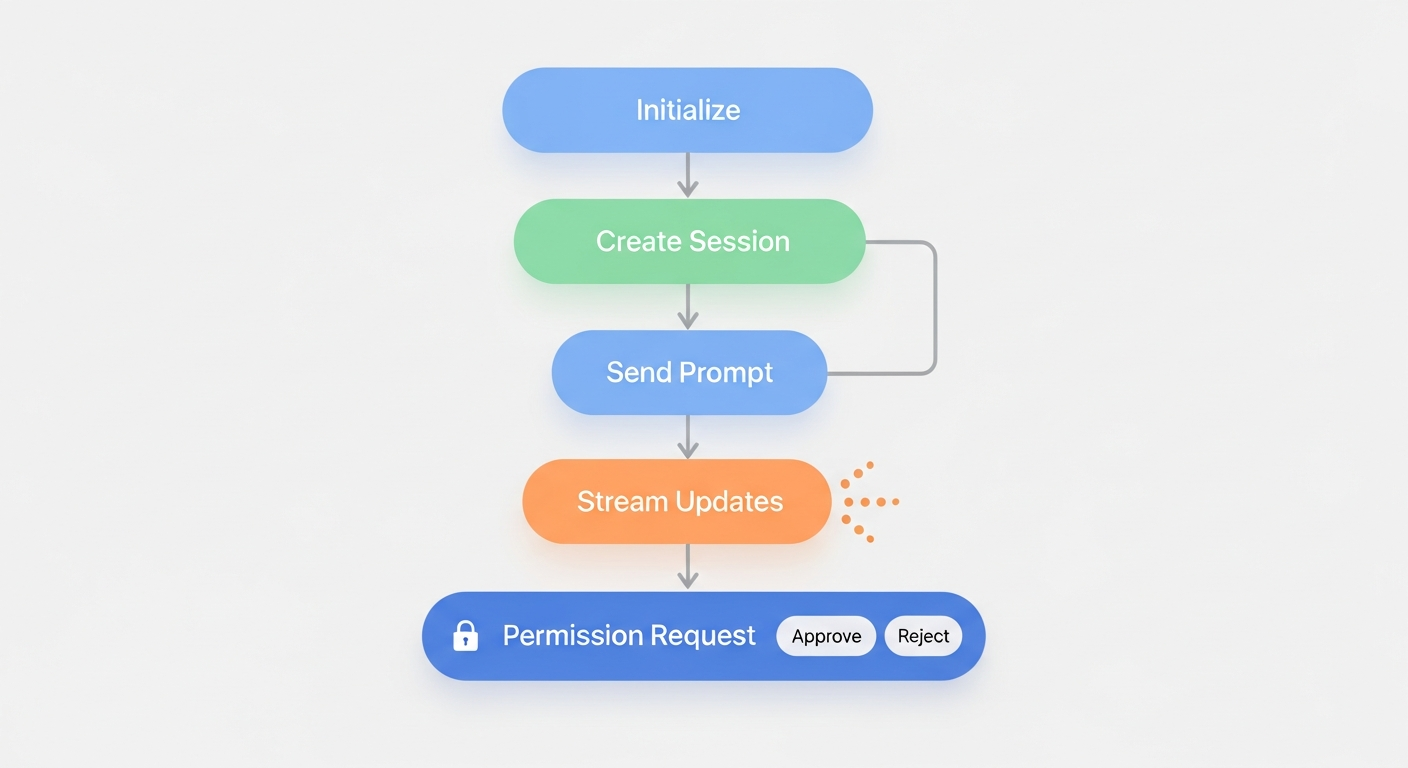 The ACP lifecycle: initialize, create session, send prompts, stream updates, and handle permission requests -- all over JSON-RPC on stdin/stdout.
The Permission System Is the Best Part
I've seen a lot of approaches to AI safety in developer tools. Most of them boil down to "we put a note in the system prompt asking the AI to be careful." That's not safety. That's a suggestion.
ACP's permission system is different because it's structural.
When the agent decides it needs to execute a tool, say writing a file or running a shell command, it sends a request and then stops. It doesn't optimistically execute and ask forgiveness later. It doesn't queue up the next three actions while waiting. It stops. The protocol has no mechanism for the agent to proceed without a response. The safety isn't in the agent's behavior. It's in the wire format.
On my end, I have a policy engine that categorizes every tool call: filesystem, command, network, MCP. The engine is tiny. It works because the protocol guarantees every tool call passes through it. There's no side channel, no escape hatch, no way for the agent to bypass the gate. The architecture makes it impossible.
This is the kind of safety you can actually reason about. Not "we hope the model behaves" but "the protocol requires human approval before execution."
What Streams Back
When the agent is working on your prompt, you receive a sequence of session/update notifications. The sessionUpdate field tells you what's happening:
agent_message_chunk means the agent is writing text. You get these rapidly, word by word, and concatenate them into the full response.
tool_call means the agent is invoking a tool. You get the tool name and arguments. If the tool requires approval, you'll also get a permission request.
tool_call_update means a running tool has progress or has completed. You get the result.
turn_end means the agent is done. Close your open messages, close your open tool calls, mark the run as finished.
This is enough to build a complete chat UI with streaming responses, tool execution visibility, and approval dialogs. The protocol gives you all the events. How you render them is your problem.
MCP Integration: Tools as Plug-ins
One of ACP's cleverest design decisions is how it handles tools. During session/new, you can pass a list of MCP (Model Context Protocol) servers. The agent connects to these servers, discovers their tools, and makes them available during the conversation.
This means tools are plug-ins, not hard-coded features. Want to give the agent browser automation? Declare a browser MCP server. Want database access? Declare a database MCP server. Want to remove a capability? Remove it from the config. The agent discovers tools dynamically. You never modify agent code.
I use this to give my agent fourteen browser tools (navigate, click, type, scroll, screenshot, and more) without the agent knowing anything about Chrome, content scripts, or browser extensions. It just sees tools with names like browser_click and schemas describing their parameters. The plumbing between the tool call and the Chrome extension is my problem. The agent just calls tools.
Where It Gets Messy
I'd be lying if I said ACP was perfectly polished. It's an early-stage protocol and it shows.
The agent I use extends ACP with custom notification types that the official SDK doesn't recognize. Things like "MCP servers are ready" or "available slash commands." Without interception, these cause the SDK to log errors. I had to build a stream filter that catches these custom notifications before they reach the SDK's parser. It's not hard, but it's the kind of thing you only discover by building on the protocol for real.
Some TypeScript types don't match what actually comes over the wire. The session creation response includes fields the type definitions don't declare. You end up casting to any more than you'd like. This is normal for a protocol at version 1, but it's worth knowing going in.
And the prompt method is blocking. When you send a prompt, the call doesn't resolve until the agent's entire turn is complete. All the interesting stuff (text streaming, tool calls, approvals) happens through the callback notifications, not the return value. This is a fine design, but it's not obvious from the method signature. You might expect prompt() to return the agent's response. It doesn't. The response comes through sessionUpdate callbacks. prompt() just tells you when the turn is over.
Why This Matters
The AI tooling ecosystem is at a crossroads. We can keep building monoliths where every tool reinvents the wheel, or we can adopt protocols that make components interchangeable.
ACP, alongside MCP, is a bet on the second path. A world where your IDE can talk to any agent. Where agents can discover and use any tool. Where switching from one AI model to another doesn't require a rewrite. Where the safety layer sits at the protocol level, not the prompt level.
I built a complete AI coding assistant on ACP. Frontend, backend, browser extension, tool approval system. The agent-facing code is about 90 lines. The protocol translation layer is about 250 lines. The policy engine is about 40 lines. These are small numbers. They're small because the protocol did the heavy lifting of defining what goes where, and all I had to do was connect the pipes.
That's the promise of protocols. Not that they make the work disappear, but that they make the work containable. Each piece is small, testable, and replaceable.
USB didn't make printers better. It made printers interchangeable. ACP is doing the same thing for AI agents. And if you're building in this space, that's worth paying attention to.
This is the second of two articles. The first, "Why Protocols Matter More Than Your Code," covers the broader case for protocol-first architecture in AI systems.